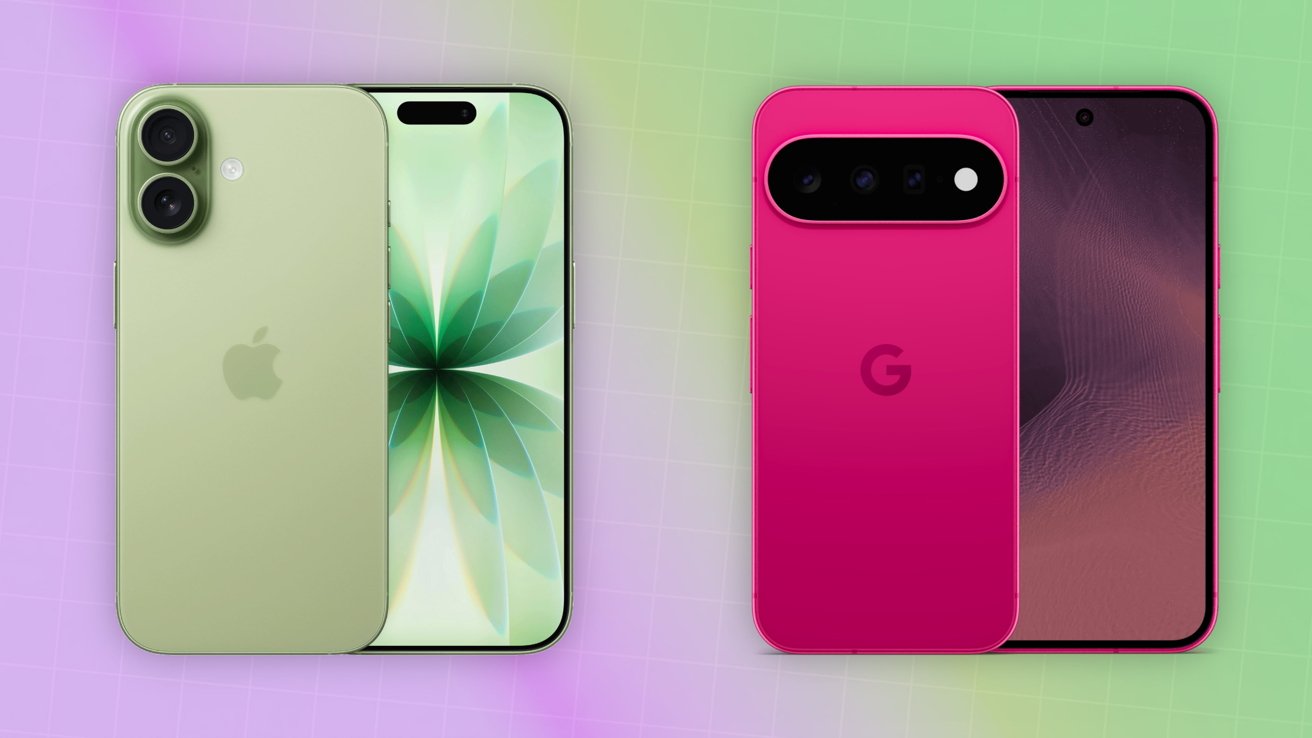





Google’s new Pixel 11 is the standard model in the company’s latest smartphone lineup, offering many of the flagship range’s key features without the higher price and additional hardware found on the Pro models. Its closest Apple counterpart is the iPhone 17, which occupies a similar position below the iPhone 17 Pro.
While most of the attention surrounding both companies’ smartphone launches tends to focus on their premium models, the standard versions remain an important choice for customers who want a flagship experience without paying for every high-end feature.
The Pixel 11 takes Google’s AI-focused smartphone experience and packages it into a more accessible model, sitting below the Pixel 11 Pro and Pixel 11 Pro XL in the 2026 lineup.
Apple takes a similar approach with the iPhone 17, offering a standard flagship experience while reserving some of its most advanced features for the Pro range.
With the iPhone 17 already having a significant head start and Apple’s next-generation smartphone launch approaching, Google’s Pixel 11 arrives at an interesting point in the flagship smartphone race.
Design and Display
Both the iPhone 17 and Pixel 11 offer premium designs and high-quality displays, but the two companies take noticeably different approaches to their hardware.
The Pixel 11 retains Google’s distinctive design language, including its signature rear camera bar, while the iPhone 17 continues Apple’s familiar minimalist approach.
For buyers choosing between the two, display size, design preference and overall ergonomics may ultimately be more important than the differences on paper.
Performance
Google continues to emphasise AI-powered performance with the Pixel 11, using its latest-generation Tensor platform to power Gemini features and other intelligent smartphone functions.
The iPhone 17, meanwhile, relies on Apple’s latest A-series silicon, with a strong focus on raw performance, power efficiency and tight integration between hardware and iOS.
The difference reflects the broader philosophies of the two phones: Google is placing AI and machine learning at the centre of the Pixel experience, while Apple continues to emphasise a combination of performance, efficiency and ecosystem integration.
Twitch Will Train Amazon’s AI on Your Streams Unless You Opt Out
Twitch is now giving streamers the option to prevent Amazon from using their broadcasts, clips and other channel content to train generative AI models. However, the feature is opt-out by default, meaning creators need to manually change the setting if they don't want their content used.
The Amazon-owned streaming platform introduced the new AI training control on August 12, with the option available under Security and Privacy in Twitch account settings. It is listed as “Training for Generative AI.”
What Happens When You Opt Out?
Turning off the setting prevents Amazon from using content from your channel for future generative AI training.
According to Twitch, the setting covers a range of channel content, including:
Live broadcasts
Videos on demand
Clips
Highlights
Chat messages
Text
Images
The opt-out applies to future Amazon models designed to generate or synthesise text, audio, images or video.
What About Content Already Used?
There is an important limitation. The setting only applies to future AI training.
Twitch has not clarified whether Amazon has already used content from the platform to train existing AI models, or whether opting out can have any effect on material that was included in training before the new control was introduced.
This means creators who disable the feature cannot necessarily assume that their previous content has been removed from any AI training datasets or models.
Viewers Don't Get Their Own Setting
The control also works differently for viewers.
If you post a message in another streamer's chat, you don't get to decide whether that message can be used for AI training. Instead, the setting chosen by the owner of that Twitch channel determines whether content posted there is eligible for training.
So, while Twitch now gives streamers greater control over how their own channel content is used, viewers have no separate opt-out for messages they post in someone else's stream.
For streamers who don't want their content used to train Amazon's generative AI systems, the safest option is to check Twitch's Security and Privacy settings and turn off “Training for Generative AI.”
iPhone 17 vs Google Pixel 11: How the Standard Models Compare